Learn free · topic 5
Primary and Foreign Keys
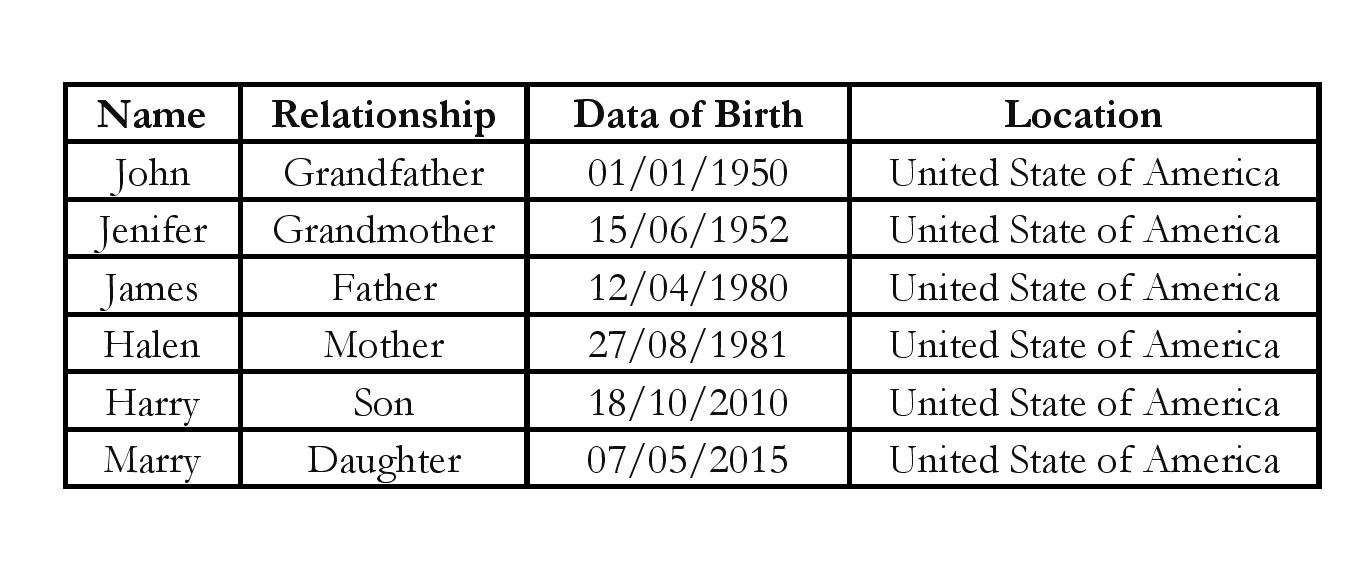
We have understood what a table is. Now, the next step is to understand, if there is more than one table then how to join both. In the topic ‘Tables, Columns and Rows’ we used an example of table ‘Family’. Let’s use the same table here with an additional column i.e., Birth Location.
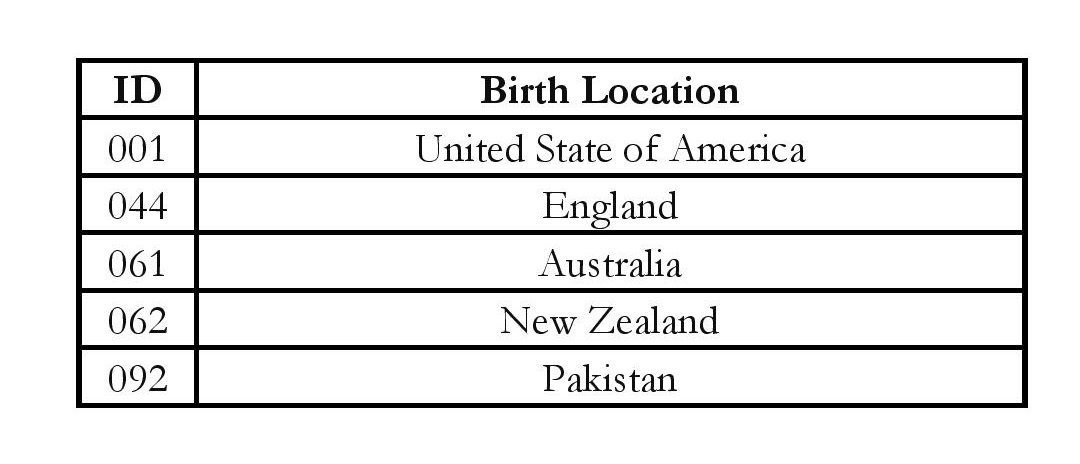
Now let’s say, to save space in Family table as we can see ‘United State of America’ has been used many times so how about creating another table where let’s store lengthy country names and in Family tables, let use country code instead with there is another table called as Birth Location.
Now, let’s update the Family table to reflect country code instead of country name.
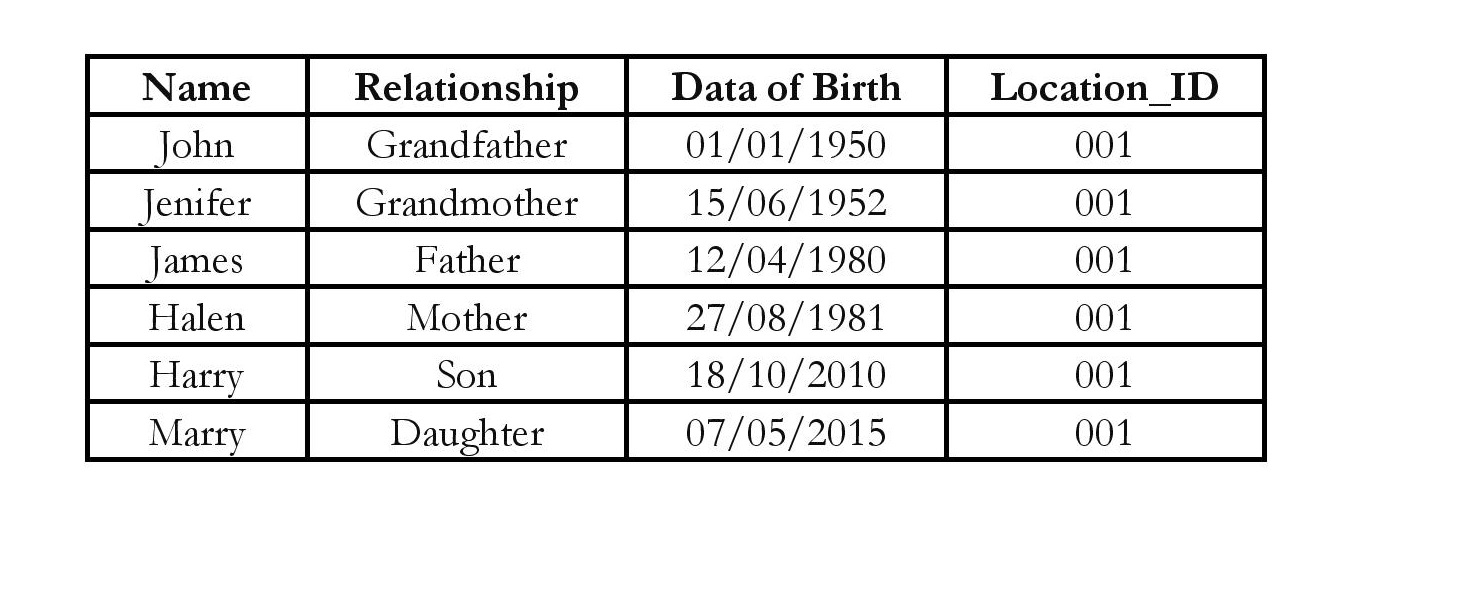
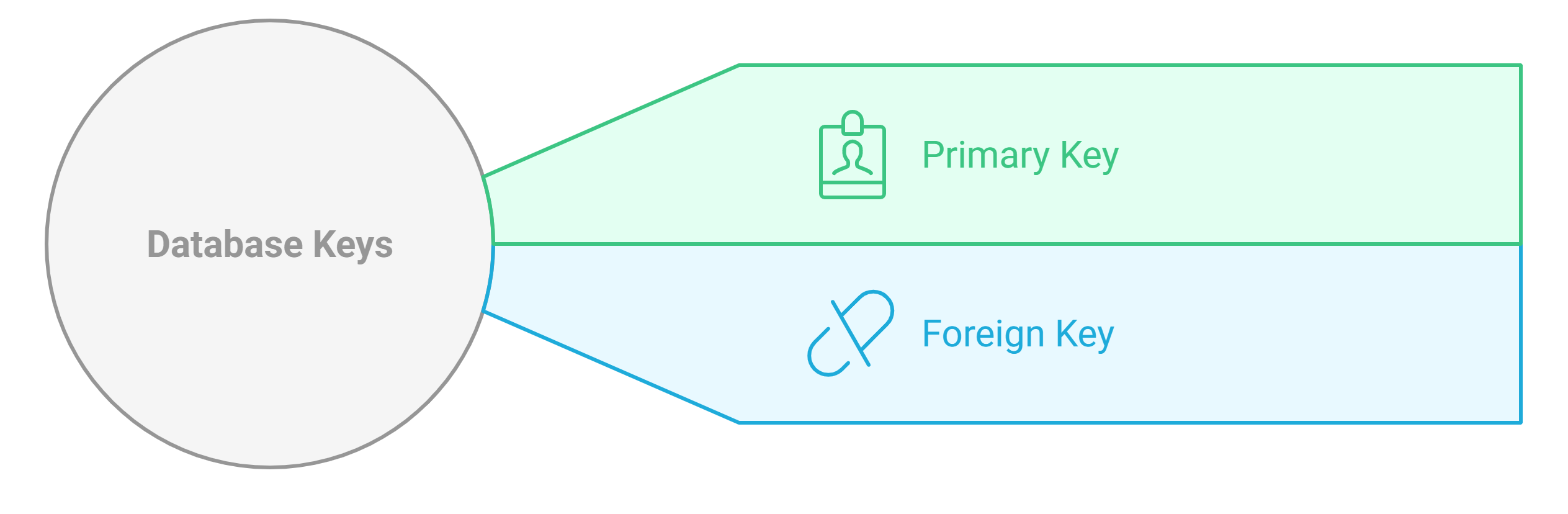
Now, the problem is column ‘Birth Location’ have country code so how to find out which country name refer to ‘001’. Let’s declare ID in Birth_Location table as Pkey and Location_ID in Family table as Fkey.
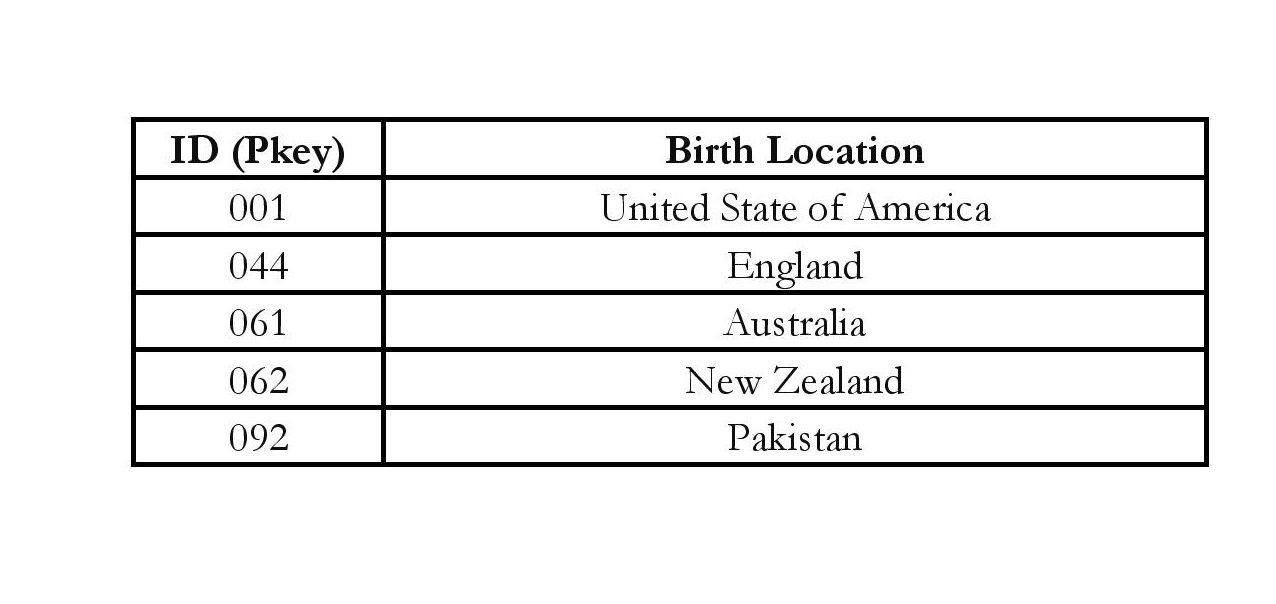
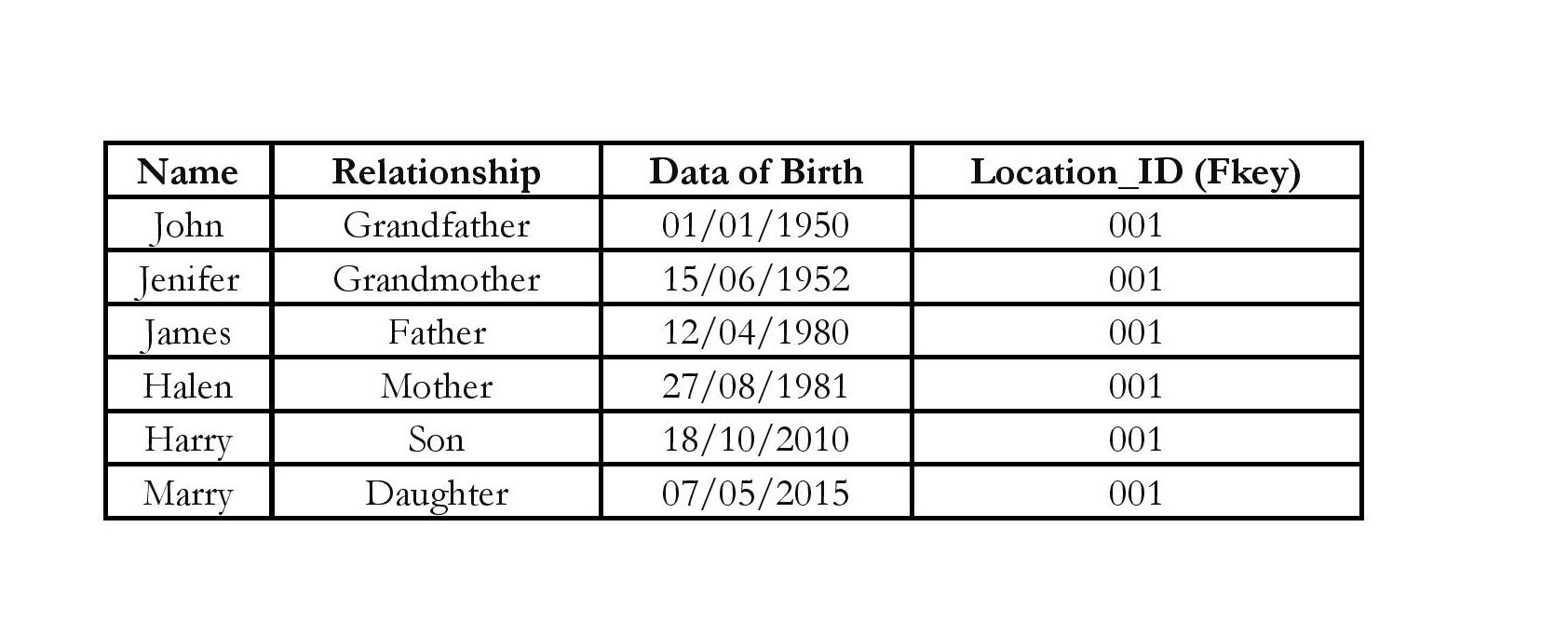
Now, we can join both tables using Primary and Foreign Key columns and can extract the relevant full country names.
Finished reading? Test yourself with 10 questions on this topic.
Go to the questions →From I Am Datapedia! by Mustafa Qizilbash, published here free by the author. Nothing about your reading is stored.