Learn free · topic 332
External Tables
In the data world, when we work with databases, we often encounter scenarios where the data we want to query and analyze resides outside the database itself. This could be in the form of files, such as CSV (Comma-Separated Values), Parquet, or JSON files, stored in external storage systems like Hadoop Distributed File System (HDFS) or cloud storage platforms such as Amazon S3 or Azure Blob Storage.
Now, imagine a situation where we have large datasets stored in external files, and we want to treat them like database tables for analytical purposes. Here comes the concept of external tables.
External Tables are a database feature that allows you to define a table structure within the database, but the actual data is stored externally, typically in files. To create an external table, you specify the table structure (columns, data types) in the database, and you also provide a location that points to the external storage where the data files are stored.
CREATE EXTERNAL TABLE CustomerData (
CustomerID INT,
CustomerName VARCHAR(50),
PurchaseAmount DECIMAL
)
LOCATION ('/path/to/external/data/');
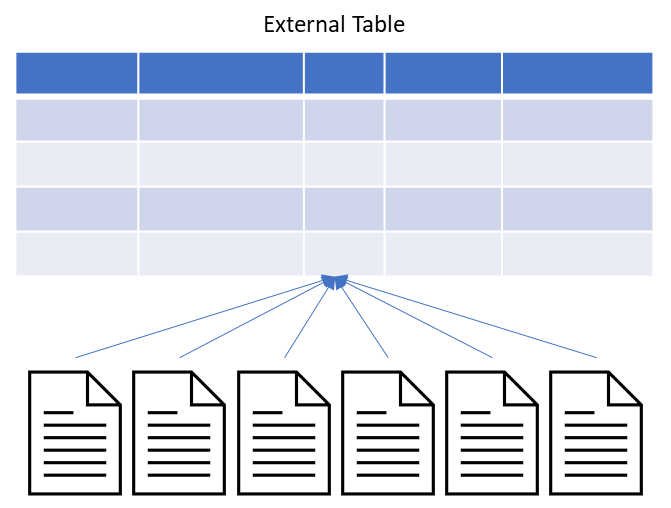
Querying External Table: After external table is generated and created, we can query it using SQL just like any other regular table. The database engine intelligently fetches the data from the external files when executing queries.
SELECT * FROM CustomerData WHERE PurchaseAmount > 1000;
Advantages:
- Cost-Effective Storage: External tables allow you to leverage cost-effective external storage for large datasets without the need to duplicate the data within the database.
- Ease of Data Management: You can manage and organize your data externally, making it easier to work with massive datasets.
- Integration with External Storage Systems: External tables seamlessly integrate with external storage systems, providing flexibility in data storage.
Now, tying it back to the concept of views, you might have scenarios where the data in your external tables needs to be combined or transformed. In such cases, you can create views on top of external tables, similar to how you would with regular tables. This allows you to define a logical layer over your external data and simplify the querying process.
sql
Copy code
CREATE VIEW HighValueCustomers AS
SELECT * FROM CustomerData WHERE PurchaseAmount > 1000;
In this example, we create a view named "HighValueCustomers" that filters high-value customers from the external table "CustomerData." This view can be queried just like any other table or view, providing a convenient way to access the filtered results without rewriting complex queries.
To summarize, external tables offer a powerful way to manage and query data that is stored externally, and when combined with views, they enhance the overall flexibility and usability of your data architecture.
Finished reading? Test yourself with 10 questions on this topic.
Go to the questions →From I Am Datapedia! by Mustafa Qizilbash, published here free by the author. Nothing about your reading is stored.