Learn free · topic 297
CDC vs CDC Framework
CDC framework is much more than CDC as a feature or as a capability by a tool. There are many tools in the market which can just extract CDC data from database which is only the first step in whole CDC framework.
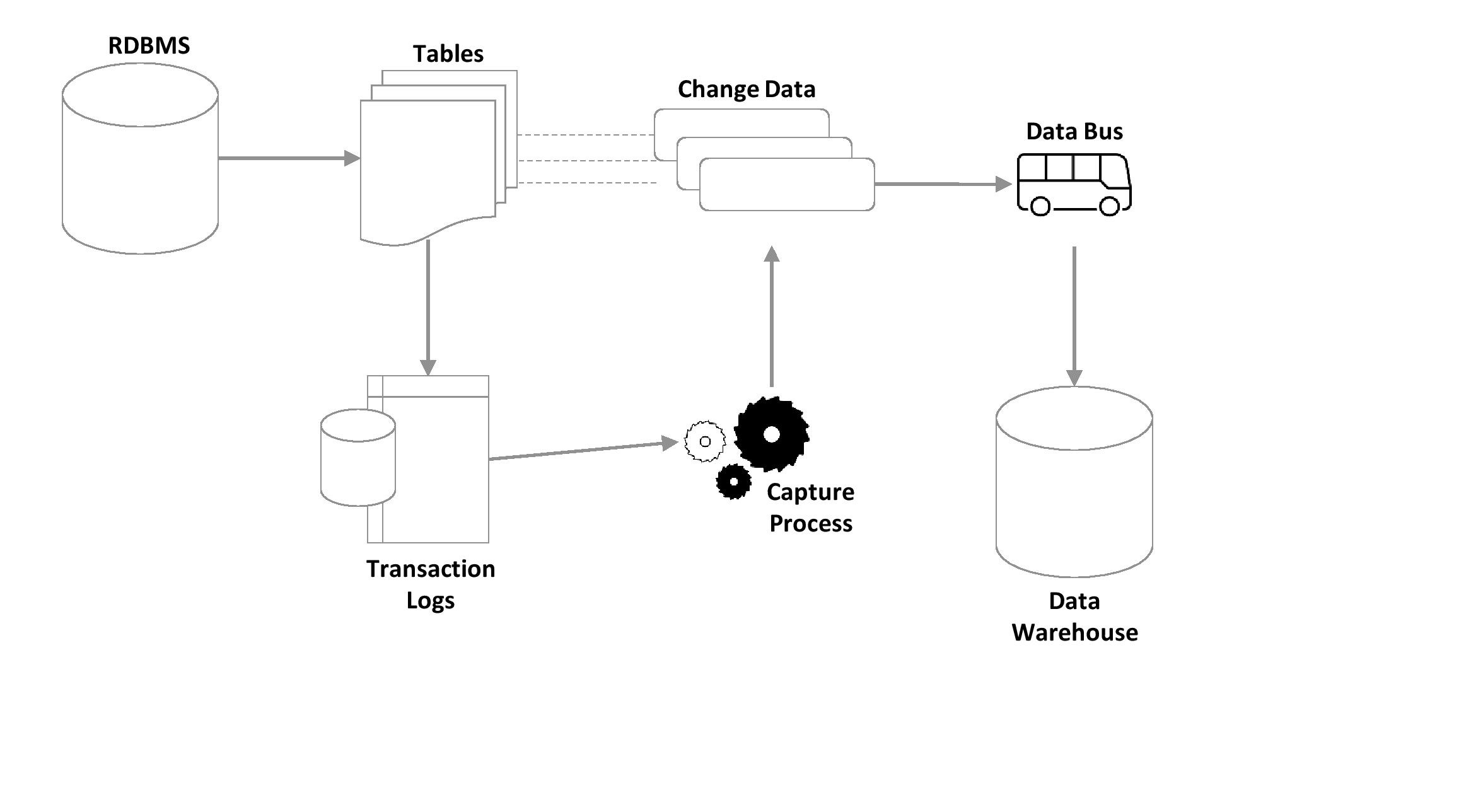
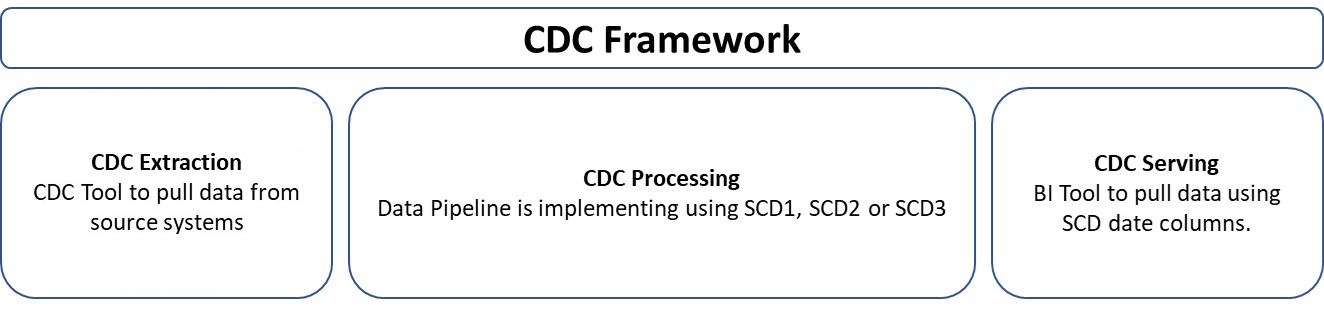
CDC Framework: Extracting only changed data is not the end of settling data to be presented in Dashboards or Reporting, there are two more steps one must complete before changed data is considered useful.
- CDC Extraction
- CDC Processing/ Consumption
- CDC Serving
CDC Extraction is the first step towards pulling changed data from source systems. Please refer to the topic: CDC vs Real-Time, to understand the four methods for CDC Extraction. But in nutshell, this is the step where ONLY THE CHANGED DATA gets picked up. During this step, each row has 3 types of tags i.e., I, U and D.
- I for Insert: When a New Row comes, it comes with a Tag ‘I’ for ETL to load a new row in data model.
- U for Update: When an existing Row comes, it comes with a Tag ‘U’ for ETL to update existing row in data model.
- D for Delete: When an existing Row comes, it comes with a Tag ‘D’ for ETL to Close the row entered previously in data model
CDC Processing/ Consumption is the second step to handle changed data. We all know, after pulling data from source systems either CDC or Full Dump, we load it into either Bill Inmon or Ralph Kimble Data Warehousing Models. While loading in any type of data model, one must load using one of the three Slowly Changing Dimension types i.e., SCD1, SCD2 or SCD3. Having SCD enabled will come with additional date columns i.e., enter_date, update_date and end_date, and sometimes modelers also include a column for Status which can have two values i.e., Active, or Inactive row.
SCD will assist in managing CDC records in the following fashion.
- I for Insert: When a New Row comes, ETL process must load a new row in data model with value in enter_date column and Active in status column.
- U for Update: When an existing Row comes, ETL process must update existing row in data model with value in enter_date and update_date columns and Active in status column.
- D for Delete: When an existing Row comes, ETL process must Close the row entered previously in data model with value in enter_date, update_date and end_date columns, and Active in status column.
Please note, above mentioned dates and status columns will populate based on which SCD type is opted.
CDC Serving is the last step in this framework, and it is also a critical step as BI team must use dates and status columns very smartly so latest data can expose on dashboards and reports e.g., only pull rows with Active status, if status columns is there. Is status column being not there then.
- To view new records: Pull rows with empty update and end columns and filled enter_date.
- To view updated records: Pull rows with filled enter and update_date columns.
- To view delete records: Pull rows with filled enter, update and end_date columns.
Please note, above scenarios are dependent on the selection of SCD type implemented.
Finished reading? Test yourself with 10 questions on this topic.
Go to the questions →From I Am Datapedia! by Mustafa Qizilbash, published here free by the author. Nothing about your reading is stored.