Once you sign in, your details will show here.
Knowledge Hub
+ New Topic
Filter (2)
Sort
52 topics · Data Storage and Operations · Intermediate · 10 shown
Show allEvery topic is free to read. A free account also lets you search the topics, react to a topic and comment under it.
- I Am Datapedia!
Data Storage and Operations
MPP(Massive Parallel Process)
We all have heard about MPP (Massive Parallel Processing). In the current era, consumption and serving layer without MPP capability cannot survive.
MPP is mostly used to read and write (mostly insert) in parallel where more than 1 processor is involved.
In MPP, multiple processers are used to process queries in parallel which might be running in single node or across multiple nodes, in same location or multiple locations.
In a non-MPP mode when a query is executed its different pieces of code are executed one by one in a sequence. But in MPP mode when a query is executed its different pieces of code are executed in parallel on all the processors in one go. This increases the execution of queries 100 times faster than compared to one-by-one execution.
In the current era where data coming from social-media, audios, videos etc., are coming in such a velocity/ pace/ speed that without MPP, it will not be possible to write, process or read data in timely manner.
2 min readMore
- I Am Datapedia!
Data Storage and Operations
Data Replication
Data Replication is the process of creating and maintaining multiple copies of the same dataset in different locations or systems. The goal is to ensure data availability, improve fault tolerance, and enhance performance by distributing data across various storage locations. Replicated data can be synchronized in real-time or at scheduled intervals to keep the copies consistent.
For example, imagine you and your classmates are working on a group project, and you need to share a document with everyone. Instead of having a single copy stored on one person's computer, you decide to use data replication to ensure that everyone has access to the most up-to-date version.
Here's how it works:
- Initial Copy: You create a document on your computer with the project details. This is the initial copy.
- Replication: You decide to replicate the document by making copies and distributing them to each group member. Now, everyone has their own copy of the document.
- Changes and Updates: As the project progresses, different group members make changes to their copies based on their contributions. For example, one person adds information about research findings, another updates the formatting, and so on.
- Synchronization: Periodically, or when major changes occur, you decide to synchronize the copies. This means that everyone shares their updates, and each person gets the latest version of the document. This ensures that all copies are consistent and reflect the most recent changes.
2 min readMore
- I Am Datapedia!
Data Storage and Operations
Data Archiving
Data Archiving involves the long-term storage and preservation of data that is no longer actively used but may still be valuable for future reference or compliance purposes. This process helps organizations manage their data lifecycle efficiently, ensuring that important information is retained for historical, legal, or regulatory reasons.
Here are a few key elements of statistics archiving:
- Retaining Historical Data: It is a fundamental aspect of data archiving. This involves preserving information that may not be actively used but has historical significance or provides a record of past events. This can include anything from academic records and research findings to historical business transactions.
- Compliance and Legal Requirements: It is a critical consideration in data archiving. Organizations must adhere to specific legal requirements that mandate the retention of certain types of data for predefined periods. This ensures that the organization remains in compliance with industry standards and legal frameworks.
- Reducing Active Storage Costs: Data archiving helps in optimizing storage costs by moving less frequently accessed or older data from high-performance storage systems to more cost-effective storage solutions. This practice ensures that valuable storage resources are reserved for active and frequently accessed data.
- Preserving Research Data: It is essential for scientific and academic institutions. Archiving experimental data and research findings allows researchers to revisit and validate their work. It contributes to the integrity of scientific endeavors, enabling the reproduction of experiments and the advancement of knowledge.
- Managing Email Archives: Email archives play a crucial role in managing organizational communication. Archiving old emails helps organizations free up space on active email servers, ensuring efficient email management. Archived emails may also be accessed when needed for legal, compliance, or historical purposes, maintaining a comprehensive record of communications.
3 min readMore
- I Am Datapedia!
Data Storage and Operations
Data Compression
Another often overlooked subject is particularly significant in the age of Big Data, where the substantial influence of unstructured data on cloud storage costs is evident. In this era, recognizing the importance of data compression is essential; neglecting its utilization translates to unnecessary expenditures and extended return on investment timelines.
Let’s decode it…..
Data compression is a method of decreasing the size of files or data to save storage space and communication bandwidth. It involves encoding information using fewer bits than the original representation.
Here's a simple explanation with examples:
- Text Compression:
- Imagine you have a text file with the sentence: "The quick brown fox jumps over the lazy dog."
- Without compression, each character is represented by a certain number of bits (usually 8 bits per character in ASCII). A lot of space can be taken up by this.
- Through compression, you can replace commonly used words or phrases with shorter codes. For instance, you might replace "the quick brown fox jumps over" with a single code. When decompressed, the original sentence is reconstructed.
- Image Compression:
- Consider a digital image with millions of pixels, each represented by color information (e.g., RGB values).
- Compression techniques reduce redundancy in the image. Instead of storing each pixel's color separately, you might store patterns or use mathematical transformations to represent the image more efficiently.
- JPEG is a common image compression format that achieves significant file size reduction while maintaining reasonable image quality.
- Audio Compression:
- In the case of audio, there is a vast amount of data in a music file, especially in high-quality formats.
- Audio compression algorithms, like MP3, remove redundant or less perceptually important information. They take advantage of the fact that our ears are less sensitive to certain frequencies and remove data that may not be noticeable to the listener.
- Lossless vs. Lossy Compression:
- Lossless compression retains all the original data when decompressed. It's like zipping a file and then unzipping it, what you get back is exactly the same as what you started with.
- Lossy compression sacrifices some information to achieve higher compression ratios. For example, in JPEG compression, some details in an image might be lost, but the trade-off is a much smaller file size.
- Compression in Everyday Technology:
- When you download a ZIP file from the internet, you're using a form of data compression. The ZIP file contains your files in a compressed form, and when you unzip it, the original files are restored.
- Streaming services use compression to transmit audio and video efficiently, allowing you to watch videos or listen to music without having to download huge files.
3 min readMore
- Text Compression:
- I Am Datapedia!
Data Storage and Operations
Data Deactivation
In general terms, deactivation often implies the action of making something inactive or turning it off. In the context of data, this refers to the intentional process of rendering certain data inactive, which involves restricting access, archiving, or taking it out of active use. Here are a few possible interpretations, but it's important to consider the specific context in which you encountered the term:
- Archiving or Disabling Data: Data deactivation refers to archiving data or making it temporarily inactive. This could be done for various reasons, such as compliance with data retention policies or reducing the storage load.
- User Account Deactivation: In the context of user accounts, data deactivation means disabling or deactivating a user account, preventing further access or updates to associated data.
- Temporary Suspension: It refers to a temporary suspension or deactivation of certain data processing activities for maintenance, security, or other reasons.
- Here are a few examples of scenarios where a similar concept might be applied:
- Archiving Inactive Customer Records: In a customer database, records of customers who haven't engaged with the business for an extended period might be archived or deactivated. This involves making the data inactive, but it is still retained for historical or compliance purposes.
- Account Deactivation: When an employee leaves a company, their user account in the company's systems may be deactivated. This deactivation prevents the former employee from accessing company data and systems.
- Temporary Suspension for Maintenance: A web application might temporarily deactivate certain features or services for maintenance or updates. During this period, certain data-related functionalities could be temporarily disabled.
- Data Retention Policies: Organizations might have data retention policies that specify when certain types of data should be deactivated, archived, or permanently deleted. This ensures compliance with regulations and reduces storage costs.
- Disabling Inactive Products or Services: In an e-commerce system, products or services that are no longer offered or are inactive may be flagged as such. This deactivation prevents customers from making new purchases of those items.
- Temporary Data Deactivation for Security Reasons: In the event of a security incident, certain data access might be temporarily deactivated to prevent unauthorized access. This could involve suspending certain user accounts or restricting access to sensitive information.
2 min readMore
- I Am Datapedia!
Data Storage and Operations
NewSQL
Indeed, it's an emerging database model. While there aren't many implementations yet, the concept is promising. If it materializes, it has the potential to streamline operations by eliminating the need for separate SQL and NoSQL datastores, saving significant effort.
Let’s decode it…..
NewSQL is a term that refers to a class of modern relational database management systems (RDBMS) designed to meet the performance and scalability requirements of modern applications, particularly in distributed and cloud computing environments. These databases aim to provide the benefits of traditional relational databases, such as ACID (Atomicity, Consistency, Isolation, Durability) compliance and structured query language (SQL) support, while addressing the challenges posed by large-scale and highly concurrent systems.
Key characteristics and features of NewSQL databases include:
- Scalability: NewSQL databases are designed to scale horizontally, allowing them to handle increasing workloads by adding more nodes to a distributed system.
- Performance: These databases often focus on providing high performance for read and write operations, especially in scenarios where traditional relational databases might face challenges in handling large volumes of data or high transaction rates.
- ACID Compliance: NewSQL databases maintain the ACID properties to ensure data integrity and consistency, crucial for applications where accuracy and reliability are paramount.
- SQL Compatibility: NewSQL databases support traditional SQL queries, making it easier for developers to transition from traditional relational databases to these newer systems.
- Architecture: They may use innovative architectural designs, such as distributed and shared-nothing architectures, to distribute data and workload across multiple nodes.
- Examples of NewSQL databases include:
- Google Spanner: A globally distributed; horizontally scalable database system developed by Google.
- CockroachDB: An open-source, distributed SQL database that is designed to be scalable, resilient, and strongly consistent.
- NuoDB: A distributed SQL database that provides on-demand scalability and continuous availability.
2 min readMore
- I Am Datapedia!
Data Integration and Interoperability
Delta Sharing
First, I wanted to name this topic as Data or Delta Sharing but to make it more interesting, kept it as Delta Sharing ONLY 😊.
Let’s decode it…..
We all have heard about Data Sharing. It is about sharing data across departments, across branches, across organizations or in DaaS model (explained separately) with the open wide world. In preceding era, Data was not huge, Data was not treated as THE SUCCESS factor, but it felt it is. So, sharing data to other entities was OK, giving them data itself was OK.
But in the current era where data has exponentially grown, and data has become THE SUCCESS factor for any organization. Plus, due to the data size, it’s no longer possible to transfer data even if it is, it’s not in timely manner, secondly due to Data Sovereignty, organizations don’t want their data to move out of their datastores.
Above scenario was even possible in previous era where, to others, we used to give access in our environment but on a very limited basis as accessing our environment or our databases used to impact our performance and used to impact our applications which was not acceptable, that is the reason we started masking or anonymizing data and started exporting actual data to other datastores.
2 min readMore
- I Am Datapedia!
Data Storage and Operations
Concurrent vs MPP
Many folks are getting confused between Concurrent Processing or MPP (Massive Parallel Processing).
Please note there is a major difference between both where one is dependent on the developers and the other on hardware.
Concurrent Processing means when technology can run concurrent queries which most of the time dependent on cores handling the queries.
In simple words, when more than one job runs in parallel and execute some code sets at the same time.
On the other hand, MPP utilizes hardware level concurrency where one job/ code set is divided in multiple pieces and runs in parallel mode.
In simple words, a single job utilizes multiple nodes to execute the same code set making it much faster as compared to job utilize single node at a time.
Having Concurrent and MPP capability gives a huge benefit to the solution when it comes to meeting SLA(s). In Big Data era, having these capabilities is a MUST-TO-HAVE.
1 min readMore
- I Am Datapedia!
Data Integration and Interoperability
Synchronization andPropagation
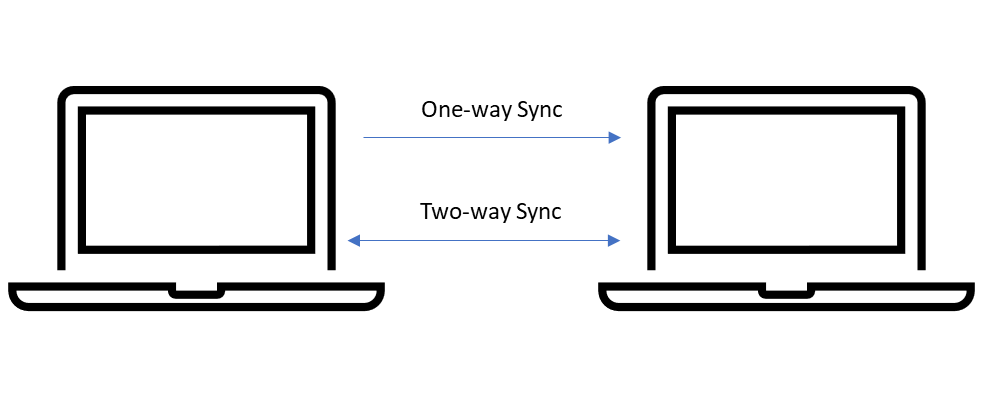
In the world of data, synchronization and propagation are like superheroes that make sure our information stays accurate and consistent, even when it's spread out in different places.
Let's understand these ideas:
Synchronization:
- Synchronization is about keeping data the same and up to date in many different spots or systems.
- The goal is to ensure that if we change something in one place, like updating the inventory in an online store, those changes quickly show up everywhere else, such as on the website and in the physical store's system. This way, everyone using the data gets the latest and correct info.
- For example, imagine you run an online store, and you add new items to your inventory on your computer. Synchronization is like magic that makes sure those new items appear on your website and in your store's computer, so customers and the store both know what's available.
Propagation:
- Propagation is like the spreading of news, but for changes in data. It's about making sure updates in one part of a system travel to other connected parts.
- When something changes, like depositing money at an ATM in a bank, propagation helps that change reach all the places that need to know, such as your online bank account and the main bank database. It's like making sure the news of the deposit goes to all the right places.
- For example, if you put money into an ATM, propagation ensures that the information about your deposit reaches all the important places, like your online bank app and the bank's main computer. It's like making sure everyone in the banking system knows about the deposit.
2 min readMore
- I Am Datapedia!
Data Storage and Operations
FinOps
FinOps is a term derived from "financial operations." It represents a set of practices and principles aimed at optimizing the financial aspects of cloud computing especially in an era where Cloud is the to-go approach for everyone.
- Management Practice: FinOps is not just a set of guidelines; it's a management practice, indicating that it involves a structured and ongoing approach to managing financial aspects within the context of cloud operations.
- Shared Responsibility: One of the central tenets of FinOps is the promotion of shared responsibility. This means that financial considerations are not solely the concern of the finance department; instead, there is a collective responsibility across different organizational functions.
- Cloud Computing Infrastructure: FinOps is specifically tailored to address the financial aspects related to cloud computing infrastructure. This includes services, resources, and functionalities provided by cloud service providers such as AWS, Azure, or Google Cloud.
- Cost Management: The primary focus of FinOps is on effectively managing the costs associated with cloud usage. This involves understanding, optimizing, and controlling expenditures to ensure they align with business goals.
- Organizational Involvement: FinOps encourages participation and collaboration across various teams within an organization. It brings together stakeholders from finance, operations, and IT/engineering to collectively manage and optimize cloud costs.
- Efficiency and Optimization: The ultimate goal of FinOps is to enhance efficiency and optimize cloud spending. This may involve identifying cost-saving opportunities, optimizing resource usage, and making informed decisions to achieve a balance between cost, performance, and reliability.
- Continuous Improvement: FinOps is not a one-time initiative but a continuous improvement process. Teams regularly assess, analyze, and refine their practices to adapt to changing business needs and technological advancements.
- Educational Component: The statement doesn't explicitly mention it, but part of FinOps often includes educational initiatives. Teams are educated about cloud financial management practices to enhance their understanding of how their decisions impact costs.
2 min readMore
Build a strong foundation in Data & AI
Follow the Data Foundations learning path (Beginner to Advanced).